Application Performance Class A1 and A2 both guarantee the same 10 MB/s sustained sequential floor under SD Association test conditions—but A2’s jump to 4000 random-read / 2000 random-write IOPS only shows up when the host also supports Command Queuing and Cache. That host caveat is the whole decision for retro and Android handhelds: a card stamped A2 is not a free speed upgrade if the device never queues commands, and an honest A1 card is often enough when you mostly stream ROM files or flash a CFW image once.
Source: Pexels
Table of contents
Open Table of contents
Conclusion
Buy for the workload and the host, not the letter alone. Prefer a genuine A1 (or better) card with capacity your handheld’s manual supports when the job is large sequential reads/writes—ROM libraries, dumps, and one-shot CFW/image flashes. Spend the A2 premium only when you actually run apps or adoptable-style random I/O from the card and the manufacturer documents A2 / Command Queuing support. If the host cannot use CQ and Cache, treat an A2 sticker as marketing for a card that still must meet at least A1 when paired with A1/A2 pictographs—not as a guarantee of 4000/2000 IOPS on your device (SDA Application Performance Class overview, SDA A2 thought leadership).
Good fit
- You keep a large ROM / media library on microSD and mostly stream bigger files; SDA’s shared 10 MB/s sustained sequential minimum (A1 or A2) and a reputable A1+ card are the relevant floor, not A2’s random IOPS (SDA A1 press PDF, SDA A2 article)
- You flash custom firmware or OS images to a card occasionally; write once / verify / boot is closer to sequential bulk I/O than to app-style random access—Handheld Notes opinion: capacity, authenticity, and following the CFW project’s card notes matter more than paying for A2 IOPS you may never hit
- Your Android handheld (or phone-class sibling) documents A2 or App Performance Class 2 support, and you install apps or use adoptable storage-style workloads where random 4K I/O dominates (SDA overview, AOSP adoptable storage)
- You will match card capacity to the device’s published maximum and buy from sellers where returns and authenticity checks are realistic—Handheld Notes opinion: counterfeit or remarketed cards break libraries regardless of the printed A letter
Poor fit
- You assume any card with an A2 logo will deliver 4000 / 2000 IOPS in every handheld slot—SDA states A2 performance is available only with an A2-supported host and A2-supported card (SDA overview, SDA A2 article)
- You pick A2 because the package also shows a high MB/s marketing number or a Video/UHS class, and you treat those as App Performance Class—those symbols measure different things (Kingston naming conventions)
- You need apps-on-card comfort on a host that never implemented Command Queuing and Cache; SDA says A2 products must support those functions and manufacturers should not point users at A2 unless the host does (SDA A2 article)
- You buy the largest card on the shelf without checking the handheld’s supported capacity—Handheld Notes opinion: unsupported sizes can fail to mount or behave inconsistently even when the card itself is genuine
Evidence
What Application Performance Class is
The SD Association created Application Performance Class for cards used as application memory—including the stronger demand that arrived with Android’s Adoptable Storage Device capability—so buyers get a labeled mix of random and sustained sequential floors, not only video-oriented sequential classes (SDA overview, SDA A1 press PDF).
| Class | Spec baseline | Min random read | Min random write | Min sustained sequential |
|---|---|---|---|---|
| A1 | SD Physical 5.1 | 1500 IOPS (4 KB) | 500 IOPS | 10 MB/s |
| A2 | SD Physical 6.0 | 4000 IOPS (4 KB) | 2000 IOPS | 10 MB/s |
Numbers and spec versions: SDA A1 press PDF, SDA A2 article, SDA overview. Secondary restatement of the same minima: Nextorage A1/A2 explainer, Kingston naming conventions.
IOPS here means how many 4 KB read/write commands can complete per second under the specification’s measurement conditions (SDA overview).
Sequential vs random (why A1 often wins for ROM libraries)
Both A1 and A2 share the same 10 MB/s sustained sequential minimum under SDA conditions (SDA A1 press PDF, SDA A2 article). What A2 raises is random IOPS—exactly the pattern app launch and small-file update traffic stress.
Handheld Notes opinion: bulk ROM libraries and most CFW/OS image flashes behave more like large sequential transfers than like Android app random I/O. That is why a verified A1 card at a supported capacity is often the rational buy for “fill the card with games and play,” while A2’s value shows up when the handheld treats the card like application storage.
Source: Pexels
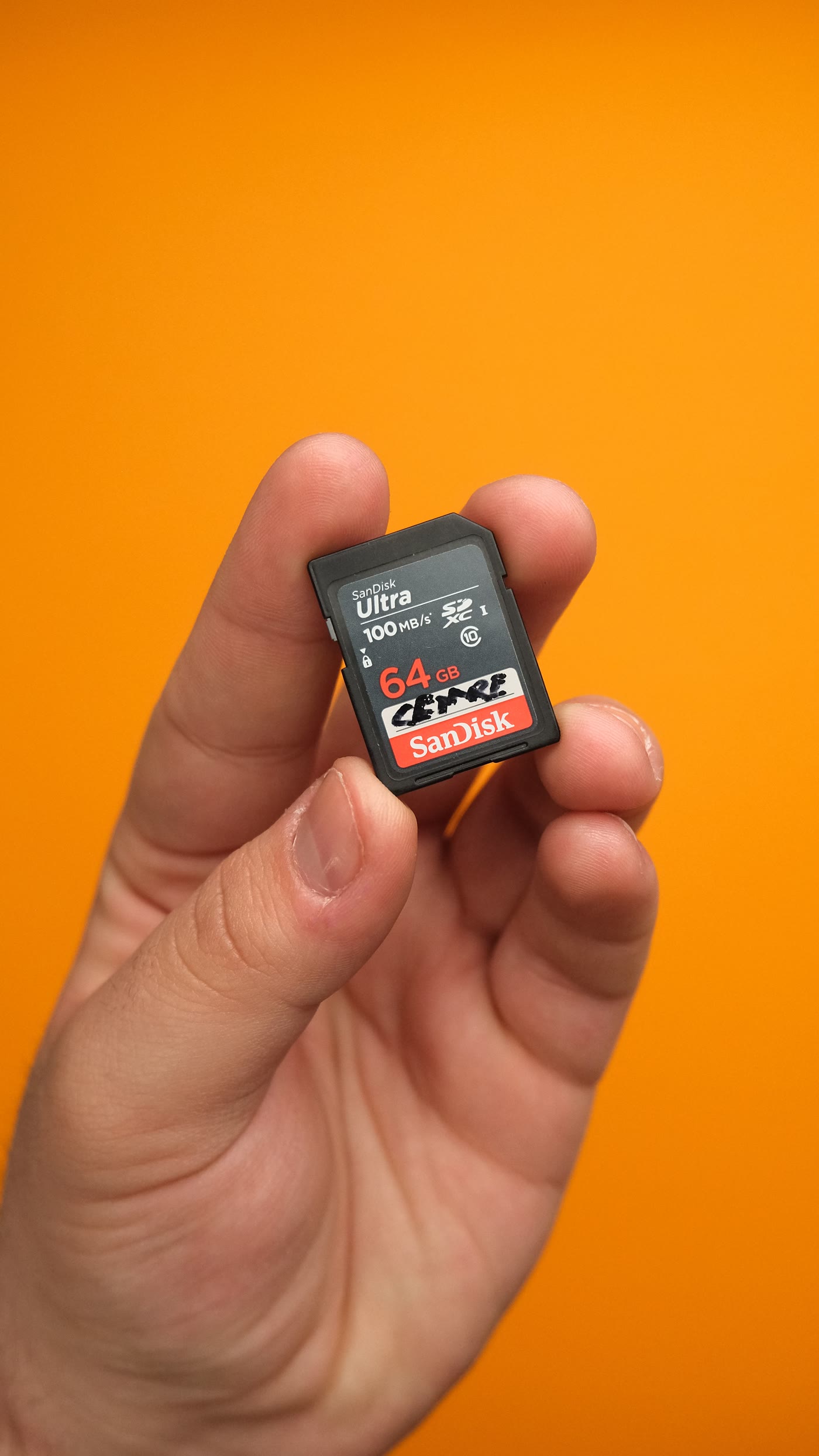
Speed Class / UHS / Video Class symbols (C10, U1/U3, V30, and marketing peak MB/s) are not substitutes for the App Performance pictograph; Kingston’s explainer separates those naming tracks from A1/A2 (Kingston).
Host features A2 actually needs
SDA is explicit:
- A2 performance is available only with an A2-supported host and an A2-supported card; combinations of A1 and A2 pictographs still assure at least A1 (SDA overview)
- Unlike A1, A2 requires new protocol features—Command Queuing and Cache—on products claiming A2; manufacturers should confirm host support before recommending A2 cards (SDA A2 article)
- Command Queuing lets the card accept a series of commands (queue depth min 2, max 32 in the SD standard) and mainly helps random read (SDA A2 article)
- Cache accumulates writes in faster memory and contributes mainly to random write; hosts should flush before power-down because unflushed cache data is not guaranteed (SDA A2 article)
- Self-Maintenance (card- or host-initiated) is part of the A2 feature set for internal flash management (SDA A2 article, SDA overview)
Hosts can also read Application Performance Class from the card’s SD Status register (SDA overview).
Handheld Notes opinion: if a handheld’s manual never mentions A2, Command Queuing, or App Performance Class 2, budget for A1-class random performance even when the microSD package shows A2.
Adoptable storage and Android’s caveat
SDA’s App Performance materials cite Android Adoptable Storage as a driver for random+sequential requirements (SDA overview, SDA A1 press PDF). AOSP documents that Android 6.0+ can adopt external media so it is encrypted and formatted to behave like internal storage for apps and private data—when the OEM enables it (AOSP adoptable storage).
SDA also notes that from Android Nougat 7.1.1 r23, the adoption benchmark is designed so A1 cards can pass, but Android cannot guarantee that outcome because the test depends on the whole device environment—not only the card (SDA A2 article). AOSP separately says adoption runs a performance check versus internal storage and may warn if the media is much slower (AOSP adoptable storage).
Handheld Notes opinion: on Android handhelds, treat adoptable / apps-on-card as the workload where A2 can matter—and still verify the OEM actually exposes adoption and A2 host features. Many retro-focused firmwares use the card as portable storage for ROMs, not as adopted internal storage.
Risks
- Host without CQ/Cache — An A2-labeled card does not deliver labeled A2 IOPS unless the host supports the required features; SDA restricts A2 performance to A2 host + A2 card pairs (SDA overview, SDA A2 article).
- Confusing App Performance with Video/UHS class — V30/U3/C10 and peak MB/s claims answer different questions than A1/A2 IOPS (Kingston).
- Fake or mislabeled cards — Handheld Notes opinion: marketplace counterfeits and relabeled cards remain common; a printed A2 logo is not proof of SDA-compliant silicon. Prefer reputable channels and capacity/verify habits over the cheapest listing.
- Cache power-loss behavior — SDA allows that cached data is not guaranteed until flush completes; hosts should flush before power-down (SDA A2 article). Handheld Notes opinion: abrupt battery pull during heavy writes is a bad idea on any card, and worse if the host leans on cache.
- Capacity vs device support — Handheld Notes opinion: always check the handheld or CFW project’s maximum supported card size; unsupported capacities can fail independently of A1/A2.
- Android adoption is OEM-dependent — Adoptable storage exists in AOSP, but enablement and warnings are device-specific; SDA notes Android’s own card-adoption benchmark is environment-dependent (AOSP adoptable storage, SDA A2 article).
Bottom line
A1 is the practical default for most retro handheld storage: ROM libraries and CFW images care about sustained throughput, authenticity, and supported capacity more than A2’s random IOPS floor. A2 is worth chasing when you run apps or adoptable-style workloads and the host documents Command Queuing / Cache / A2 support—because without that host stack, the A2 letter does not unlock SDA’s 4000/2000 IOPS promise. Match the pictograph to the workload and the manual, not to the boldest MB/s print on the retail blister.
Sources
- SD Association — Application Performance Class overview (A1/A2, host+card pairing, SD Status)
- SD Association — Introduces App Performance Class (A1 minima: 1500/500 IOPS, 10 MB/s; SD 5.1; Adoptable Storage context)
- SD Association — Applications in Action: Introducing A2 (4000/2000 IOPS, 10 MB/s; Command Queuing, Cache, Self-Maintenance; host requirements; Android Nougat adoption note)
- Nextorage — What is A1/A2 application performance class? (secondary restatement of SDA minima)
- Kingston Technology — Understanding the Naming Conventions and Labels of SD and microSD Cards (A1/A2 table; Speed Class vs App Performance)
- Android Open Source Project — Adoptable storage (Android 6.0+ adopt flow; performance benchmark warning)